Atomic State : React State with Jotai
Your are uesd React ?
probably know how difficult it can be to manage global state. In the past, we had to use huge, complicated tools like Redux, which came with a lot of extra code (boilerplate) like actions and reducers. Then we got libraries like Zustand and Valtio, which made things easier.
But there is another, very simple way to handle your state: Jotai.
In this article, we will understand what Jotai is, how it works, and why it is a great choice for your next React project.
What is Jotai?
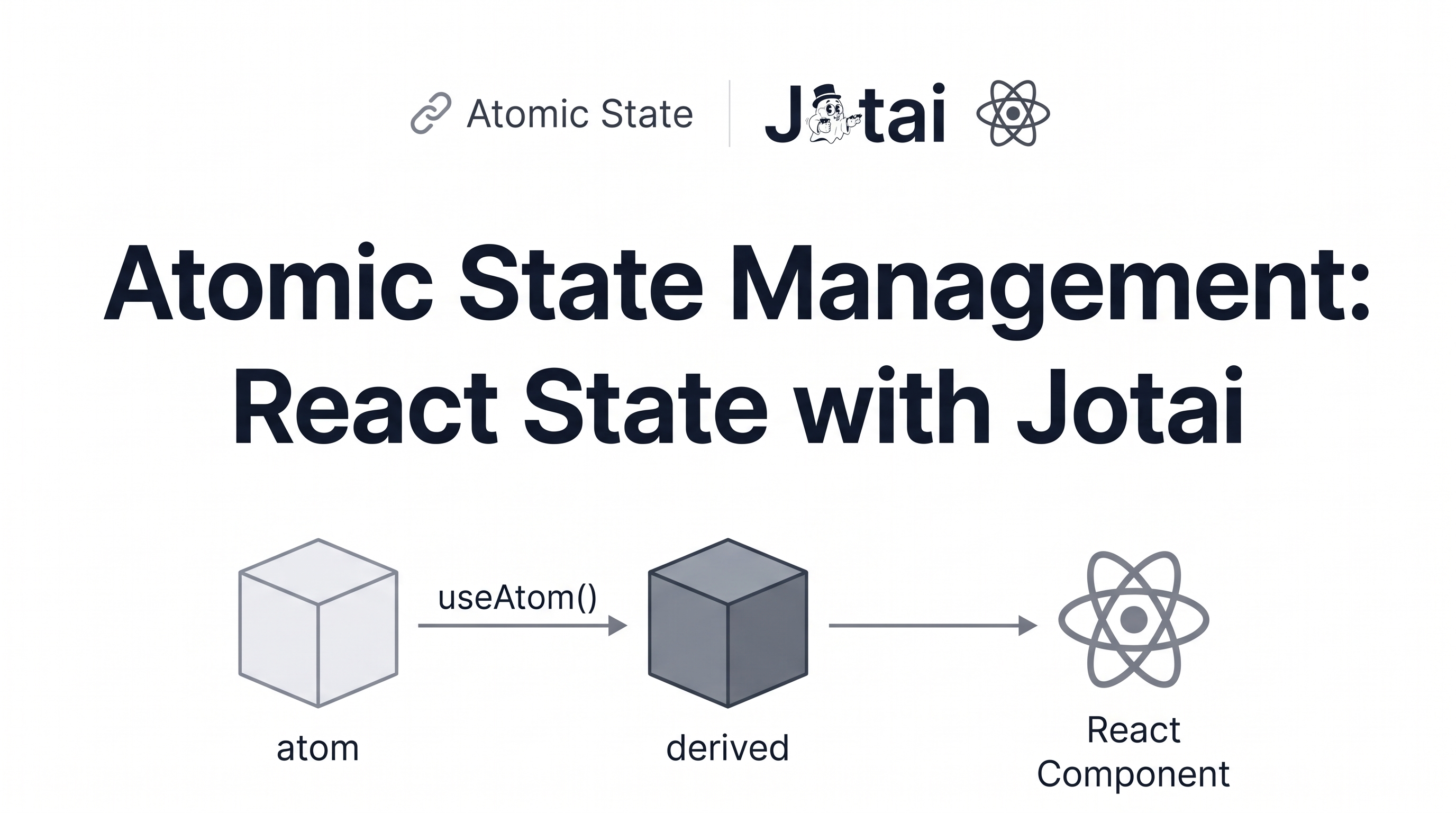
Jotai is a lightweight, modern state management library for React. The word "Jotai" means "state" in Japanese.
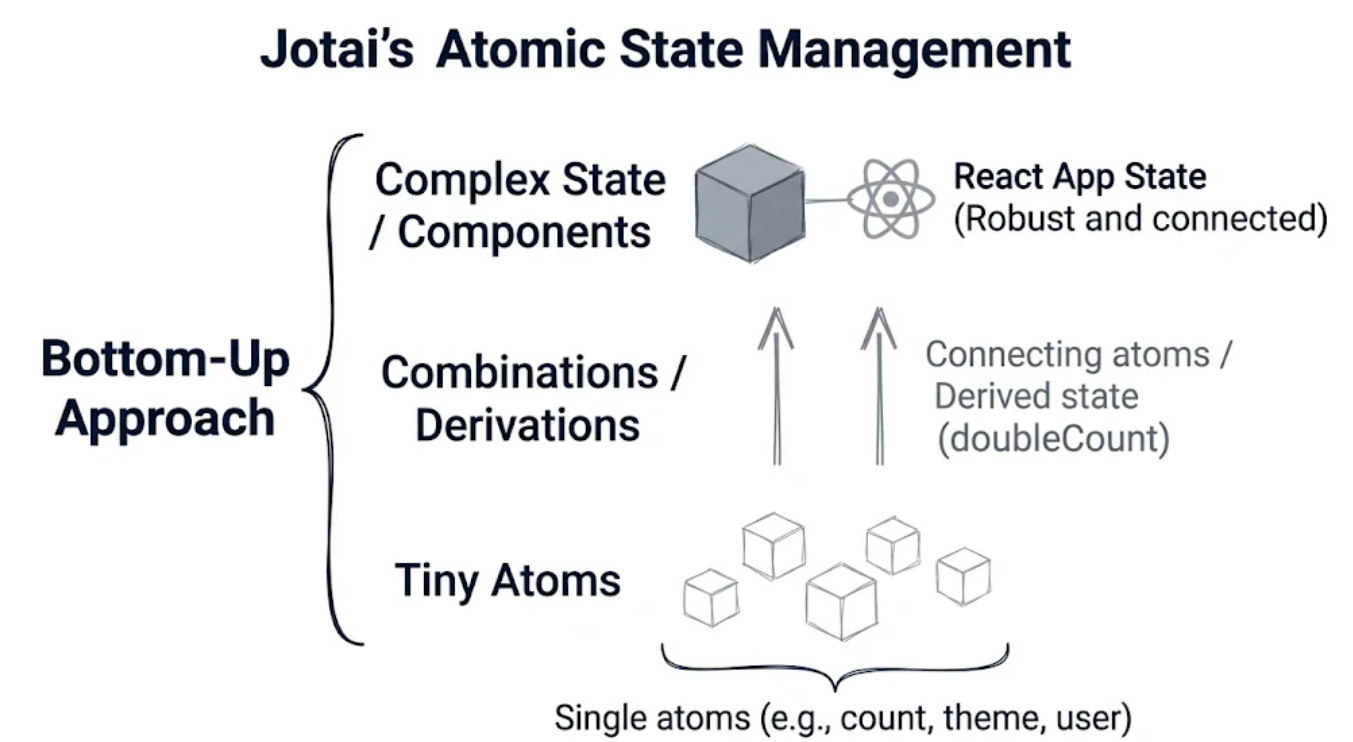
Its main philosophy is "atomic." Instead of putting all your application's data into one giant object (top-down), you divide your state into tiny, independent pieces called atoms (bottom-up).
\
Why Use Jotai?
You might ask yourself: "Why would I choose Jotai over everything else?" Let's break down the main reasons:
- Zero Boilerplate: With Jotai, you do not need to write actions, reducers, dispatchers, or complex configurations. You just create an atom and use it.
- Super Simple: If you know how to use React’s built-in
useState, you already know how to use Jotai. The syntax is almost exactly the same. - Smart Performance: In Jotai, components only re-render if the specific atom they are listening to changes. If another atom changes somewhere else, your component will not re-render. This "fine-grained" reactivity gives your application great performance automatically.
- Extremely Tiny: Jotai is very small (around 2.4KB), meaning it won't make your website slow to load.
How Does Jotai Work? (The Basics)
Let’s see how easy it is to use Jotai in a real application.
Step 1: Install Jotai
First, install the library using npm or yarn:
-- npm install jotai
step 2: Create Your Atoms
Create a file (for example, store.js) to define your global state. You can import atom and initialize your pieces of state.
import { atom } from 'jotai';

// A basic atom starting at 0
export const countAtom = atom(0);

// A derived atom that calculates double the count
export const doubleCountAtom = atom((get) => get(countAtom) * 2);
Understanding the "get" parameter
In the doubleCountAtom, we use a special function called get. This is a built-in helper from Jotai. It allows us to read the current value of another atom (countAtom) and multiply it by 2. It does this automatically—whenever countAtom changes, doubleCountAtom will update itself!
Step 3: Use the Atoms in Your Components
Now, in your React components, you can use the useAtom hook to read and write to your global state.
import React from 'react';
import { useAtom } from 'jotai';
import { countAtom, doubleCountAtom } from './store';

export function Counter() {
  // useAtom returns [currentValue, updateFunction] just like useState!
  const [count, setCount] = useAtom(countAtom);
  const [doubleCount] = useAtom(doubleCountAtom);

  return (
    <div style={{ padding: '20px', textAlign: 'center' }}>
      <h2>Count: {count}</h2>
      <h3>Double Count: {doubleCount}</h3>

      {/* Update the state directly and easily */}
      <button onClick={() => setCount((prev) => prev + 1)}>
        Increment (+)
      </button>
      <button onClick={() => setCount((prev) => prev - 1)} style={{ marginLeft: '10px' }}>
        Decrement (-)
      </button>
    </div>
  );
}
That’s it! No Context Providers, no Reducers, and no complicated setups. Global state is now as easy as local state.
Comparing Jotai to Other State Managers
Let's look at how Jotai compares to other libraries without overcomplicating things.
Redux uses a "single store" approach. Everything is in one big tree, which can be hard to manage and usually requires a lot of extra files (actions, reducers, types) just to change a single value.
Zustand is simpler because it lets you create smaller stores. However, you still have to use selectors to choose exactly which parts of the store you want to listen to. If you forget to use selectors, you might experience unnecessary re-renders.
Jotai solves both problems. Because your state is made of "atoms," you can just select the exact atom you need. If a different atom updates, React won't re-render the components that don't care about it.
Jotai proves that state management in React does not have to be painful. By breaking your data down into independent atoms, you get:
- Ultra-simple code.
- Perfect, automatic render optimizations.
- A developer experience that feels just like standard React.
If you are tired of complex setups and want something that just works, give Jotai a try in your next project!
If you want to read more and explore advanced features, check out the official Jotai documentation: * Official Website: [jotai.org](https://jotai.org)
About the author
- Software Engineer blending deep algorithmic problem solving with scalable Frontend Architecture. Obsessed with high-performance web systems, Core Web Vitals, accessibility, and modern UI engineering.
Comments
Join the discussionNo comments yet. Be the first to comment.